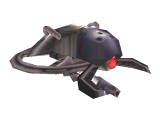
EntitiesMonsters
click for full size image in pop-up window Boss_EonAndPeon
 
Description
 
Eon and Peon. This actor has "eonandpeon" AI set by default (global/eonandpeon.scr) in which its AI states are defined and the actor type is set as "monster".
 
Keys
 
angle:
initial orientation of model in game (default: 0).
model:
name of entity's model definition file (boss_peon.def). Do not change.
anim:
default "Idle" animation alias name of model. Points to a .sam animation file in the model's .def file. See Notes below.
scale:
controls size of model in the game (ex: 1.0).
targetname:
name referred to when controlled by a script.
target: the entity this points will be triggered when actor dies.
killthread: name of thread to call when actor dies.
alpha: translucency of model in game. Values are from 0-1 (default: 1).

Spawnflags
 
None

Notes

The anim key cannot be used directly to change the model's initial animation in the game. A script with animation commands (anim, nextanim, animate, etc.) must be used for this. In the case where the sentient or actor has default AI states set, it might be necessary to use simple AI commands (ignore, ignoreall, respondto, definestate, etc.) to "desensitize" it to some or all game events (sounds, enemy sighting, etc.) before it can respond to animation commands without interference from its own AI.

However, changing the value of the anim key in SinEd by using the + and - buttons in the entity dialog and using the "Toggle animations" feature (CTRL-A) can be useful for browsing the model's different animations directly in the 3D view. This information can then be used to set the animation commands in the script to the desired animations.


click for full size image in pop-up window Boss_ThrallMaster
 
Description
 
Thrallmaster. This actor has "thrall" AI set by default (global/thrall.scr) in which its AI states are defined and the actor type is set as "enemy".
 
Keys
 
angle:
initial orientation of model in game (default: 0).
model:
name of entity's model definition file (thrall.def). Do not change.
anim:
default "Idle" animation alias name of model. Points to a .sam animation file in the model's .def file. See Notes below.
scale:
controls size of model in the game (ex: 1.0).
targetname:
name referred to when controlled by a script.
target: the entity this points will be triggered when actor dies.
killthread: name of thread to call when actor dies.
alpha: translucency of model in game. Values are from 0-1 (default: 1).

Spawnflags
 
None

Notes

The anim key cannot be used directly to change the model's initial animation in the game. A script with animation commands (anim, nextanim, animate, etc.) must be used for this. In the case where the sentient or actor has default AI states set, it might be necessary to use simple AI commands (ignore, ignoreall, respondto, definestate, etc.) to "desensitize" it to some or all game events (sounds, enemy sighting, etc.) before it can respond to animation commands without interference from its own AI.

However, changing the value of the anim key in SinEd by using the + and - buttons in the entity dialog and using the "Toggle animations" feature (CTRL-A) can be useful for browsing the model's different animations directly in the 3D view. This information can then be used to set the animation commands in the script to the desired animations.


click for full size image in pop-up window Monster_Bachrodai
 
Description
 
Bachrodai. This actor has "bacrodai" AI set by default (global/bacrodai.scr) in which its AI states are defined and the actor type is set as "monster".
 
Keys
 
angle:
initial orientation of model in game (default: 0).
model:
name of entity's model definition file (bacrodai.def). Do not change.
anim:
default "Idle" animation alias name of model. Points to a .sam animation file in the model's .def file. See Notes below.
scale:
controls size of model in the game (ex: 1.0).
targetname:
name referred to when controlled by a script.
target: the entity this points will be triggered when actor dies.
killthread: name of thread to call when actor dies.
alpha: translucency of model in game. Values are from 0-1 (default: 1).

Spawnflags
 
None

Notes

The anim key cannot be used directly to change the model's initial animation in the game. A script with animation commands (anim, nextanim, animate, etc.) must be used for this. In the case where the sentient or actor has default AI states set, it might be necessary to use simple AI commands (ignore, ignoreall, respondto, definestate, etc.) to "desensitize" it to some or all game events (sounds, enemy sighting, etc.) before it can respond to animation commands without interference from its own AI.

However, changing the value of the anim key in SinEd by using the + and - buttons in the entity dialog and using the "Toggle animations" feature (CTRL-A) can be useful for browsing the model's different animations directly in the 3D view. This information can then be used to set the animation commands in the script to the desired animations.


click for full size image in pop-up window Monster_Beecadrone
 
Description
 
Beecadrone. This actor has "beecadrone" AI set by default (global/beecadrone.scr) in which its AI states are defined and the actor type is set as "enemy". This thing flies around and shoots laser blasts at the player. However, it is slightly buggy: when killed, the idle sound it makes doesn't stop.
 
Keys
 
angle:
initial orientation of model in game (default: 0).
model:
name of entity's model definition file (bee.def). Do not change.
anim:
default "Idle" animation alias name of model. Points to a .sam animation file in the model's .def file. See Notes below.
scale:
controls size of model in the game (ex: 1.0).
targetname:
name referred to when controlled by a script.
target: the entity this points will be triggered when actor dies.
killthread: name of thread to call when actor dies.
alpha: translucency of model in game. Values are from 0-1 (default: 1).

Spawnflags
 
None

Notes

The anim key cannot be used directly to change the model's initial animation in the game. A script with animation commands (anim, nextanim, animate, etc.) must be used for this. In the case where the sentient or actor has default AI states set, it might be necessary to use simple AI commands (ignore, ignoreall, respondto, definestate, etc.) to "desensitize" it to some or all game events (sounds, enemy sighting, etc.) before it can respond to animation commands without interference from its own AI.

However, changing the value of the anim key in SinEd by using the + and - buttons in the entity dialog and using the "Toggle animations" feature (CTRL-A) can be useful for browsing the model's different animations directly in the 3D view. This information can then be used to set the animation commands in the script to the desired animations.


click for full size image in pop-up window Monster_ConstructForeman
 
Description
 
Construction Foreman. This actor has "neutral" AI set by default (global/neutral.scr) in which its AI states are defined and the actor type is set as "civilian".
 
Keys
 
angle:
initial orientation of model in game (default: 0).
model:
name of entity's model definition file (foreman.def). Do not change.
anim:
default "Idle" animation alias name of model. Points to a .sam animation file in the model's .def file. See Notes below.
scale:
controls size of model in the game (ex: 1.0).
targetname:
name referred to when controlled by a script.
target: the entity this points will be triggered when actor dies.
killthread: name of thread to call when actor dies.
alpha: translucency of model in game. Values are from 0-1 (default: 1).

Spawnflags
 
None

Notes

The anim key cannot be used directly to change the model's initial animation in the game. A script with animation commands (anim, nextanim, animate, etc.) must be used for this. In the case where the sentient or actor has default AI states set, it might be necessary to use simple AI commands (ignore, ignoreall, respondto, definestate, etc.) to "desensitize" it to some or all game events (sounds, enemy sighting, etc.) before it can respond to animation commands without interference from its own AI.

However, changing the value of the anim key in SinEd by using the + and - buttons in the entity dialog and using the "Toggle animations" feature (CTRL-A) can be useful for browsing the model's different animations directly in the 3D view. This information can then be used to set the animation commands in the script to the desired animations.


click for full size image in pop-up window Monster_ConstrucWorker
 
Description
 
Construction Worker. This actor has "enemy_meleeweapon" AI set by default (global/enemy_meleeweapon.scr) in which its AI states are defined and the actor type is set as "enemy".
 
Keys
 
angle:
initial orientation of model in game (default: 0).
model:
name of entity's model definition file (cworker.def). Do not change.
anim:
default "Idle" animation alias name of model. Points to a .sam animation file in the model's .def file. See Notes below.
scale:
controls size of model in the game (ex: 1.0).
targetname:
name referred to when controlled by a script.
target: the entity this points will be triggered when actor dies.
killthread: name of thread to call when actor dies.
alpha: translucency of model in game. Values are from 0-1 (default: 1).

Spawnflags
 
None

Notes

The anim key cannot be used directly to change the model's initial animation in the game. A script with animation commands (anim, nextanim, animate, etc.) must be used for this. In the case where the sentient or actor has default AI states set, it might be necessary to use simple AI commands (ignore, ignoreall, respondto, definestate, etc.) to "desensitize" it to some or all game events (sounds, enemy sighting, etc.) before it can respond to animation commands without interference from its own AI.

However, changing the value of the anim key in SinEd by using the + and - buttons in the entity dialog and using the "Toggle animations" feature (CTRL-A) can be useful for browsing the model's different animations directly in the 3D view. This information can then be used to set the animation commands in the script to the desired animations.


click for full size image in pop-up window Monster_DarkCaptain
 
Description
 
Dark Captain. This actor has "enemy" AI set by default (global/enemy.scr) in which its AI states are defined and the actor type is set as "enemy".
 
Keys
 
angle:
initial orientation of model in game (default: 0).
model:
name of entity's model definition file (dark.def). Do not change.
anim:
default "Idle" animation alias name of model. Points to a .sam animation file in the model's .def file. See Notes below.
scale:
controls size of model in the game (ex: 1.0).
targetname:
name referred to when controlled by a script.
target: the entity this points will be triggered when actor dies.
killthread: name of thread to call when actor dies.
alpha: translucency of model in game. Values are from 0-1 (default: 1).

Spawnflags
 
None

Notes

The anim key cannot be used directly to change the model's initial animation in the game. A script with animation commands (anim, nextanim, animate, etc.) must be used for this. In the case where the sentient or actor has default AI states set, it might be necessary to use simple AI commands (ignore, ignoreall, respondto, definestate, etc.) to "desensitize" it to some or all game events (sounds, enemy sighting, etc.) before it can respond to animation commands without interference from its own AI.

However, changing the value of the anim key in SinEd by using the + and - buttons in the entity dialog and using the "Toggle animations" feature (CTRL-A) can be useful for browsing the model's different animations directly in the 3D view. This information can then be used to set the animation commands in the script to the desired animations.


click for full size image in pop-up window Monster_Eon
 
Description
 
Eon. This actor has "mutant" AI set by default (global/mutant.scr) in which its AI states are defined and the actor type is set as "monster". When placed all by himself in a map, this thing will just run around aimlessly and do nothing else. Also, he simply freezes in place when killed. This actor only has 2 animations: idle (run.sam) and idle_xenotank.sam. It requires scripting to gib and remove the model upon death (see 'gib' and 'remove' SinScript commands) and a custom AI states thread to make anything useful out of it: a cute decoration at best.
 
Keys
 
angle:
initial orientation of model in game (default: 0).
model:
name of entity's model definition file (eon.def). Do not change.
anim:
default "Idle" animation alias name of model. Points to a .sam animation file in the model's .def file. See Notes below.
scale:
controls size of model in the game (ex: 1.0).
targetname:
name referred to when controlled by a script.
target: the entity this points will be triggered when actor dies.
killthread: name of thread to call when actor dies.
alpha: translucency of model in game. Values are from 0-1 (default: 1).

Spawnflags
 
None

Notes

The anim key cannot be used directly to change the model's initial animation in the game. A script with animation commands (anim, nextanim, animate, etc.) must be used for this. In the case where the sentient or actor has default AI states set, it might be necessary to use simple AI commands (ignore, ignoreall, respondto, definestate, etc.) to "desensitize" it to some or all game events (sounds, enemy sighting, etc.) before it can respond to animation commands without interference from its own AI.

However, changing the value of the anim key in SinEd by using the + and - buttons in the entity dialog and using the "Toggle animations" feature (CTRL-A) can be useful for browsing the model's different animations directly in the 3D view. This information can then be used to set the animation commands in the script to the desired animations.


click for full size image in pop-up window Monster_EvilBlade
 
Description
 
Evil Blade (Our Alter Ego). This actor has "enemy" AI set by default (global/enemy.scr) in which its AI states are defined and the actor type is set as "enemy". This guy doesn't work: he can't use weapons and his melee attack does no damage so it's pretty useless for anything other than cannon fodder for "friend" type actors. You might want to use a Hero_Blade converted to "enemy" type (see 'enemy' SinScript command) instead.
 
Keys
 
angle:
initial orientation of model in game (default: 0).
model:
name of entity's model definition file (evil_blade.def). Do not change.
anim:
default "Idle" animation alias name of model. Points to a .sam animation file in the model's .def file. See Notes below.
scale:
controls size of model in the game (ex: 1.0).
targetname:
name referred to when controlled by a script.
target: the entity this points will be triggered when actor dies.
killthread: name of thread to call when actor dies.
alpha: translucency of model in game. Values are from 0-1 (default: 1).

Spawnflags
 
None

Notes

The anim key cannot be used directly to change the model's initial animation in the game. A script with animation commands (anim, nextanim, animate, etc.) must be used for this. In the case where the sentient or actor has default AI states set, it might be necessary to use simple AI commands (ignore, ignoreall, respondto, definestate, etc.) to "desensitize" it to some or all game events (sounds, enemy sighting, etc.) before it can respond to animation commands without interference from its own AI.

However, changing the value of the anim key in SinEd by using the + and - buttons in the entity dialog and using the "Toggle animations" feature (CTRL-A) can be useful for browsing the model's different animations directly in the 3D view. This information can then be used to set the animation commands in the script to the desired animations.


click for full size image in pop-up window Monster_Grunt_AssaultRifle
 
Description
 
Grunt with Assault Rifle. This actor has "enemy" AI set by default (global/enemy.scr) in which its AI states are defined and the actor type is set as "enemy".
 
Keys
 
angle:
initial orientation of model in game (default: 0).
model:
name of entity's model definition file (grunt_ass.def). Do not change.
anim:
default "Idle" animation alias name of model. Points to a .sam animation file in the model's .def file. See Notes below.
scale:
controls size of model in the game (ex: 1.0).
targetname:
name referred to when controlled by a script.
target: the entity this points will be triggered when actor dies.
killthread: name of thread to call when actor dies.
alpha: translucency of model in game. Values are from 0-1 (default: 1).

Spawnflags
 
None

Notes

The anim key cannot be used directly to change the model's initial animation in the game. A script with animation commands (anim, nextanim, animate, etc.) must be used for this. In the case where the sentient or actor has default AI states set, it might be necessary to use simple AI commands (ignore, ignoreall, respondto, definestate, etc.) to "desensitize" it to some or all game events (sounds, enemy sighting, etc.) before it can respond to animation commands without interference from its own AI.

However, changing the value of the anim key in SinEd by using the + and - buttons in the entity dialog and using the "Toggle animations" feature (CTRL-A) can be useful for browsing the model's different animations directly in the 3D view. This information can then be used to set the animation commands in the script to the desired animations.


click for full size image in pop-up window Monster_Grunt_ChainGun
 
Description
 
Grunt with Chain Gun. This actor has "enemy" AI set by default (global/enemy.scr) in which its AI states are defined and the actor type is set as "enemy".
 
Keys
 
angle:
initial orientation of model in game (default: 0).
model:
name of entity's model definition file (grunt_hv.def). Do not change.
anim:
default "Idle" animation alias name of model. Points to a .sam animation file in the model's .def file. See Notes below.
scale:
controls size of model in the game (ex: 1.0).
targetname:
name referred to when controlled by a script.
target: the entity this points will be triggered when actor dies.
killthread: name of thread to call when actor dies.
alpha: translucency of model in game. Values are from 0-1 (default: 1).

Spawnflags
 
None

Notes

The anim key cannot be used directly to change the model's initial animation in the game. A script with animation commands (anim, nextanim, animate, etc.) must be used for this. In the case where the sentient or actor has default AI states set, it might be necessary to use simple AI commands (ignore, ignoreall, respondto, definestate, etc.) to "desensitize" it to some or all game events (sounds, enemy sighting, etc.) before it can respond to animation commands without interference from its own AI.

However, changing the value of the anim key in SinEd by using the + and - buttons in the entity dialog and using the "Toggle animations" feature (CTRL-A) can be useful for browsing the model's different animations directly in the 3D view. This information can then be used to set the animation commands in the script to the desired animations.


click for full size image in pop-up window Monster_Grunt_GrenadeLauncher
 
Description
 
Grunt with Grenade Launcher. This actor has "enemy" AI set by default (global/enemy.scr) in which its AI states are defined and the actor type is set as "enemy".
 
Keys
 
angle:
initial orientation of model in game (default: 0).
model:
name of entity's model definition file (grunt_gren.def). Do not change.
anim:
default "Idle" animation alias name of model. Points to a .sam animation file in the model's .def file. See Notes below.
scale:
controls size of model in the game (ex: 1.0).
targetname:
name referred to when controlled by a script.
target: the entity this points will be triggered when actor dies.
killthread: name of thread to call when actor dies.
alpha: translucency of model in game. Values are from 0-1 (default: 1).

Spawnflags
 
None

Notes

The anim key cannot be used directly to change the model's initial animation in the game. A script with animation commands (anim, nextanim, animate, etc.) must be used for this. In the case where the sentient or actor has default AI states set, it might be necessary to use simple AI commands (ignore, ignoreall, respondto, definestate, etc.) to "desensitize" it to some or all game events (sounds, enemy sighting, etc.) before it can respond to animation commands without interference from its own AI.

However, changing the value of the anim key in SinEd by using the + and - buttons in the entity dialog and using the "Toggle animations" feature (CTRL-A) can be useful for browsing the model's different animations directly in the 3D view. This information can then be used to set the animation commands in the script to the desired animations.


click for full size image in pop-up window Monster_Grunt_Magnum
 
Description
 
Grunt with Magnum. This actor has "enemy" AI set by default (global/enemy.scr) in which its AI states are defined and the actor type is set as "enemy".
 
Keys
 
angle:
initial orientation of model in game (default: 0).
model:
name of entity's model definition file (grunt_mag.def). Do not change.
anim:
default "Idle" animation alias name of model. Points to a .sam animation file in the model's .def file. See Notes below.
scale:
controls size of model in the game (ex: 1.0).
targetname:
name referred to when controlled by a script.
target: the entity this points will be triggered when actor dies.
killthread: name of thread to call when actor dies.
alpha: translucency of model in game. Values are from 0-1 (default: 1).

Spawnflags
 
None

Notes

The anim key cannot be used directly to change the model's initial animation in the game. A script with animation commands (anim, nextanim, animate, etc.) must be used for this. In the case where the sentient or actor has default AI states set, it might be necessary to use simple AI commands (ignore, ignoreall, respondto, definestate, etc.) to "desensitize" it to some or all game events (sounds, enemy sighting, etc.) before it can respond to animation commands without interference from its own AI.

However, changing the value of the anim key in SinEd by using the + and - buttons in the entity dialog and using the "Toggle animations" feature (CTRL-A) can be useful for browsing the model's different animations directly in the 3D view. This information can then be used to set the animation commands in the script to the desired animations.


click for full size image in pop-up window Monster_Grunt_NoWeapon
 
Description
 
Grunt with no weapon. This actor has "enemy" AI set by default (global/enemy.scr) in which its AI states are defined and the actor type is set as "enemy".
 
Keys
 
angle:
initial orientation of model in game (default: 0).
model:
name of entity's model definition file (grunt_none.def). Do not change.
anim:
default "Idle" animation alias name of model. Points to a .sam animation file in the model's .def file. See Notes below.
scale:
controls size of model in the game (ex: 1.0).
targetname:
name referred to when controlled by a script.
target: the entity this points will be triggered when actor dies.
killthread: name of thread to call when actor dies.
alpha: translucency of model in game. Values are from 0-1 (default: 1).

Spawnflags
 
None

Notes

The anim key cannot be used directly to change the model's initial animation in the game. A script with animation commands (anim, nextanim, animate, etc.) must be used for this. In the case where the sentient or actor has default AI states set, it might be necessary to use simple AI commands (ignore, ignoreall, respondto, definestate, etc.) to "desensitize" it to some or all game events (sounds, enemy sighting, etc.) before it can respond to animation commands without interference from its own AI.

However, changing the value of the anim key in SinEd by using the + and - buttons in the entity dialog and using the "Toggle animations" feature (CTRL-A) can be useful for browsing the model's different animations directly in the 3D view. This information can then be used to set the animation commands in the script to the desired animations.


click for full size image in pop-up window Monster_Grunt_RocketLauncher
 
Description
 
Grunt with Rocket Launcher. This actor has "enemy" AI set by default (global/enemy.scr) in which its AI states are defined and the actor type is set as "enemy".
 
Keys
 
angle:
initial orientation of model in game (default: 0).
model:
name of entity's model definition file (grunt_rckt.def). Do not change.
anim:
default "Idle" animation alias name of model. Points to a .sam animation file in the model's .def file. See Notes below.
scale:
controls size of model in the game (ex: 1.0).
targetname:
name referred to when controlled by a script.
target: the entity this points will be triggered when actor dies.
killthread: name of thread to call when actor dies.
alpha: translucency of model in game. Values are from 0-1 (default: 1).

Spawnflags
 
None

Notes

The anim key cannot be used directly to change the model's initial animation in the game. A script with animation commands (anim, nextanim, animate, etc.) must be used for this. In the case where the sentient or actor has default AI states set, it might be necessary to use simple AI commands (ignore, ignoreall, respondto, definestate, etc.) to "desensitize" it to some or all game events (sounds, enemy sighting, etc.) before it can respond to animation commands without interference from its own AI.

However, changing the value of the anim key in SinEd by using the + and - buttons in the entity dialog and using the "Toggle animations" feature (CTRL-A) can be useful for browsing the model's different animations directly in the 3D view. This information can then be used to set the animation commands in the script to the desired animations.


click for full size image in pop-up window Monster_Grunt_Shotgun
 
Description
 
Grunt with Shotgun. This actor has "enemy" AI set by default (global/enemy.scr) in which its AI states are defined and the actor type is set as "enemy".
 
Keys
 
angle:
initial orientation of model in game (default: 0).
model:
name of entity's model definition file (grunt_shtg.def). Do not change.
anim:
default "Idle" animation alias name of model. Points to a .sam animation file in the model's .def file. See Notes below.
scale:
controls size of model in the game (ex: 1.0).
targetname:
name referred to when controlled by a script.
target: the entity this points will be triggered when actor dies.
killthread: name of thread to call when actor dies.
alpha: translucency of model in game. Values are from 0-1 (default: 1).

Spawnflags
 
None

Notes

The anim key cannot be used directly to change the model's initial animation in the game. A script with animation commands (anim, nextanim, animate, etc.) must be used for this. In the case where the sentient or actor has default AI states set, it might be necessary to use simple AI commands (ignore, ignoreall, respondto, definestate, etc.) to "desensitize" it to some or all game events (sounds, enemy sighting, etc.) before it can respond to animation commands without interference from its own AI.

However, changing the value of the anim key in SinEd by using the + and - buttons in the entity dialog and using the "Toggle animations" feature (CTRL-A) can be useful for browsing the model's different animations directly in the 3D view. This information can then be used to set the animation commands in the script to the desired animations.


click for full size image in pop-up window Monster_GruntCapt_AssaultRifle
 
Description
 
Grunt Captain with Assault Rifle. This actor has "enemy" AI set by default (global/enemy.scr) in which its AI states are defined and the actor type is set as "enemy".
 
Keys
 
angle:
initial orientation of model in game (default: 0).
model:
name of entity's model definition file (gruntcapt_ass.def). Do not change.
anim:
default "Idle" animation alias name of model. Points to a .sam animation file in the model's .def file. See Notes below.
scale:
controls size of model in the game (ex: 1.0).
targetname:
name referred to when controlled by a script.
target: the entity this points will be triggered when actor dies.
killthread: name of thread to call when actor dies.
alpha: translucency of model in game. Values are from 0-1 (default: 1).

Spawnflags
 
None

Notes

The anim key cannot be used directly to change the model's initial animation in the game. A script with animation commands (anim, nextanim, animate, etc.) must be used for this. In the case where the sentient or actor has default AI states set, it might be necessary to use simple AI commands (ignore, ignoreall, respondto, definestate, etc.) to "desensitize" it to some or all game events (sounds, enemy sighting, etc.) before it can respond to animation commands without interference from its own AI.

However, changing the value of the anim key in SinEd by using the + and - buttons in the entity dialog and using the "Toggle animations" feature (CTRL-A) can be useful for browsing the model's different animations directly in the 3D view. This information can then be used to set the animation commands in the script to the desired animations.


click for full size image in pop-up window Monster_GruntCapt_ChainGun
 
Description
 
Grunt Captain with Chain Gun. This actor has "enemy" AI set by default (global/enemy.scr) in which its AI states are defined and the actor type is set as "enemy".
 
Keys
 
angle:
initial orientation of model in game (default: 0).
model:
name of entity's model definition file (gruntcapt_hv.def). Do not change.
anim:
default "Idle" animation alias name of model. Points to a .sam animation file in the model's .def file. See Notes below.
scale:
controls size of model in the game (ex: 1.0).
targetname:
name referred to when controlled by a script.
target: the entity this points will be triggered when actor dies.
killthread: name of thread to call when actor dies.
alpha: translucency of model in game. Values are from 0-1 (default: 1).

Spawnflags
 
None

Notes

The anim key cannot be used directly to change the model's initial animation in the game. A script with animation commands (anim, nextanim, animate, etc.) must be used for this. In the case where the sentient or actor has default AI states set, it might be necessary to use simple AI commands (ignore, ignoreall, respondto, definestate, etc.) to "desensitize" it to some or all game events (sounds, enemy sighting, etc.) before it can respond to animation commands without interference from its own AI.

However, changing the value of the anim key in SinEd by using the + and - buttons in the entity dialog and using the "Toggle animations" feature (CTRL-A) can be useful for browsing the model's different animations directly in the 3D view. This information can then be used to set the animation commands in the script to the desired animations.


click for full size image in pop-up window Monster_GruntCapt_GrenadeLauncher
 
Description
 
Grunt Captain with Grenade Launcher. This actor has "enemy" AI set by default (global/enemy.scr) in which its AI states are defined and the actor type is set as "enemy".
 
Keys
 
angle:
initial orientation of model in game (default: 0).
model:
name of entity's model definition file (gruntcapt_gren.def). Do not change.
anim:
default "Idle" animation alias name of model. Points to a .sam animation file in the model's .def file. See Notes below.
scale:
controls size of model in the game (ex: 1.0).
targetname:
name referred to when controlled by a script.
target: the entity this points will be triggered when actor dies.
killthread: name of thread to call when actor dies.
alpha: translucency of model in game. Values are from 0-1 (default: 1).

Spawnflags
 
None

Notes

The anim key cannot be used directly to change the model's initial animation in the game. A script with animation commands (anim, nextanim, animate, etc.) must be used for this. In the case where the sentient or actor has default AI states set, it might be necessary to use simple AI commands (ignore, ignoreall, respondto, definestate, etc.) to "desensitize" it to some or all game events (sounds, enemy sighting, etc.) before it can respond to animation commands without interference from its own AI.

However, changing the value of the anim key in SinEd by using the + and - buttons in the entity dialog and using the "Toggle animations" feature (CTRL-A) can be useful for browsing the model's different animations directly in the 3D view. This information can then be used to set the animation commands in the script to the desired animations.


click for full size image in pop-up window Monster_GruntCapt_Magnum
 
Description
 
Grunt Captain with Magnum. This actor has "enemy" AI set by default (global/enemy.scr) in which its AI states are defined and the actor type is set as "enemy".
 
Keys
 
angle:
initial orientation of model in game (default: 0).
model:
name of entity's model definition file (gruntcapt_mag.def). Do not change.
anim:
default "Idle" animation alias name of model. Points to a .sam animation file in the model's .def file. See Notes below.
scale:
controls size of model in the game (ex: 1.0).
targetname:
name referred to when controlled by a script.
target: the entity this points will be triggered when actor dies.
killthread: name of thread to call when actor dies.
alpha: translucency of model in game. Values are from 0-1 (default: 1).

Spawnflags
 
None

Notes

The anim key cannot be used directly to change the model's initial animation in the game. A script with animation commands (anim, nextanim, animate, etc.) must be used for this. In the case where the sentient or actor has default AI states set, it might be necessary to use simple AI commands (ignore, ignoreall, respondto, definestate, etc.) to "desensitize" it to some or all game events (sounds, enemy sighting, etc.) before it can respond to animation commands without interference from its own AI.

However, changing the value of the anim key in SinEd by using the + and - buttons in the entity dialog and using the "Toggle animations" feature (CTRL-A) can be useful for browsing the model's different animations directly in the 3D view. This information can then be used to set the animation commands in the script to the desired animations.


click for full size image in pop-up window Monster_GruntCapt_NoWeapon
 
Description
 
Grunt Captain with no weapon. This actor has "enemy" AI set by default (global/enemy.scr) in which its AI states are defined and the actor type is set as "enemy".
 
Keys
 
angle:
initial orientation of model in game (default: 0).
model:
name of entity's model definition file (gruntcapt_none.def). Do not change.
anim:
default "Idle" animation alias name of model. Points to a .sam animation file in the model's .def file. See Notes below.
scale:
controls size of model in the game (ex: 1.0).
targetname:
name referred to when controlled by a script.
target: the entity this points will be triggered when actor dies.
killthread: name of thread to call when actor dies.
alpha: translucency of model in game. Values are from 0-1 (default: 1).

Spawnflags
 
None

Notes

The anim key cannot be used directly to change the model's initial animation in the game. A script with animation commands (anim, nextanim, animate, etc.) must be used for this. In the case where the sentient or actor has default AI states set, it might be necessary to use simple AI commands (ignore, ignoreall, respondto, definestate, etc.) to "desensitize" it to some or all game events (sounds, enemy sighting, etc.) before it can respond to animation commands without interference from its own AI.

However, changing the value of the anim key in SinEd by using the + and - buttons in the entity dialog and using the "Toggle animations" feature (CTRL-A) can be useful for browsing the model's different animations directly in the 3D view. This information can then be used to set the animation commands in the script to the desired animations.


click for full size image in pop-up window Monster_GruntCapt_RocketLauncher
 
Description
 
Grunt Captain with Rocket Launcher. This actor has "enemy" AI set by default (global/enemy.scr) in which its AI states are defined and the actor type is set as "enemy".
 
Keys
 
angle:
initial orientation of model in game (default: 0).
model:
name of entity's model definition file (gruntcapt_rckt.def). Do not change.
anim:
default "Idle" animation alias name of model. Points to a .sam animation file in the model's .def file. See Notes below.
scale:
controls size of model in the game (ex: 1.0).
targetname:
name referred to when controlled by a script.
target: the entity this points will be triggered when actor dies.
killthread: name of thread to call when actor dies.
alpha: translucency of model in game. Values are from 0-1 (default: 1).

Spawnflags
 
None

Notes

The anim key cannot be used directly to change the model's initial animation in the game. A script with animation commands (anim, nextanim, animate, etc.) must be used for this. In the case where the sentient or actor has default AI states set, it might be necessary to use simple AI commands (ignore, ignoreall, respondto, definestate, etc.) to "desensitize" it to some or all game events (sounds, enemy sighting, etc.) before it can respond to animation commands without interference from its own AI.

However, changing the value of the anim key in SinEd by using the + and - buttons in the entity dialog and using the "Toggle animations" feature (CTRL-A) can be useful for browsing the model's different animations directly in the 3D view. This information can then be used to set the animation commands in the script to the desired animations.


click for full size image in pop-up window Monster_GruntCapt_Shotgun
 
Description
 
Grunt Captain with Shotgun. This actor has "enemy" AI set by default (global/enemy.scr) in which its AI states are defined and the actor type is set as "enemy".
 
Keys
 
angle:
initial orientation of model in game (default: 0).
model:
name of entity's model definition file (gruntcapt_shtg.def). Do not change.
anim:
default "Idle" animation alias name of model. Points to a .sam animation file in the model's .def file. See Notes below.
scale:
controls size of model in the game (ex: 1.0).
targetname:
name referred to when controlled by a script.
target: the entity this points will be triggered when actor dies.
killthread: name of thread to call when actor dies.
alpha: translucency of model in game. Values are from 0-1 (default: 1).

Spawnflags
 
None

Notes

The anim key cannot be used directly to change the model's initial animation in the game. A script with animation commands (anim, nextanim, animate, etc.) must be used for this. In the case where the sentient or actor has default AI states set, it might be necessary to use simple AI commands (ignore, ignoreall, respondto, definestate, etc.) to "desensitize" it to some or all game events (sounds, enemy sighting, etc.) before it can respond to animation commands without interference from its own AI.

However, changing the value of the anim key in SinEd by using the + and - buttons in the entity dialog and using the "Toggle animations" feature (CTRL-A) can be useful for browsing the model's different animations directly in the 3D view. This information can then be used to set the animation commands in the script to the desired animations.


click for full size image in pop-up window Monster_Guerilla_AssaultRifle
 
Description
 
Guerilla Soldier with Assault Rifle. This actor has "enemy" AI set by default (global/enemy.scr) in which its AI states are defined and the actor type is set as "enemy".
 
Keys
 
angle:
initial orientation of model in game (default: 0).
model:
name of entity's model definition file (guerilla_ass.def). Do not change.
anim:
default "Idle" animation alias name of model. Points to a .sam animation file in the model's .def file. See Notes below.
scale:
controls size of model in the game (ex: 1.0).
targetname:
name referred to when controlled by a script.
target: the entity this points will be triggered when actor dies.
killthread: name of thread to call when actor dies.
alpha: translucency of model in game. Values are from 0-1 (default: 1).

Spawnflags
 
None

Notes

The anim key cannot be used directly to change the model's initial animation in the game. A script with animation commands (anim, nextanim, animate, etc.) must be used for this. In the case where the sentient or actor has default AI states set, it might be necessary to use simple AI commands (ignore, ignoreall, respondto, definestate, etc.) to "desensitize" it to some or all game events (sounds, enemy sighting, etc.) before it can respond to animation commands without interference from its own AI.

However, changing the value of the anim key in SinEd by using the + and - buttons in the entity dialog and using the "Toggle animations" feature (CTRL-A) can be useful for browsing the model's different animations directly in the 3D view. This information can then be used to set the animation commands in the script to the desired animations.


click for full size image in pop-up window Monster_Guerilla_ChainGun
 
Description
 
Guerilla Soldier with a Chain Gun. This actor has "enemy" AI set by default (global/enemy.scr) in which its AI states are defined and the actor type is set as "enemy".
 
Keys
 
angle:
initial orientation of model in game (default: 0).
model:
name of entity's model definition file (guerilla_hv.def). Do not change.
anim:
default "Idle" animation alias name of model. Points to a .sam animation file in the model's .def file. See Notes below.
scale:
controls size of model in the game (ex: 1.0).
targetname:
name referred to when controlled by a script.
target: the entity this points will be triggered when actor dies.
killthread: name of thread to call when actor dies.
alpha: translucency of model in game. Values are from 0-1 (default: 1).

Spawnflags
 
None

Notes

The anim key cannot be used directly to change the model's initial animation in the game. A script with animation commands (anim, nextanim, animate, etc.) must be used for this. In the case where the sentient or actor has default AI states set, it might be necessary to use simple AI commands (ignore, ignoreall, respondto, definestate, etc.) to "desensitize" it to some or all game events (sounds, enemy sighting, etc.) before it can respond to animation commands without interference from its own AI.

However, changing the value of the anim key in SinEd by using the + and - buttons in the entity dialog and using the "Toggle animations" feature (CTRL-A) can be useful for browsing the model's different animations directly in the 3D view. This information can then be used to set the animation commands in the script to the desired animations.


click for full size image in pop-up window Monster_Guerilla_Magnum
 
Description
 
Guerilla Soldier with Magnum. This actor has "enemy" AI set by default (global/enemy.scr) in which its AI states are defined and the actor type is set as "enemy".
 
Keys
 
angle:
initial orientation of model in game (default: 0).
model:
name of entity's model definition file (guerilla_mag.def). Do not change.
anim:
default "Idle" animation alias name of model. Points to a .sam animation file in the model's .def file. See Notes below.
scale:
controls size of model in the game (ex: 1.0).
targetname:
name referred to when controlled by a script.
target: the entity this points will be triggered when actor dies.
killthread: name of thread to call when actor dies.
alpha: translucency of model in game. Values are from 0-1 (default: 1).

Spawnflags
 
None

Notes

The anim key cannot be used directly to change the model's initial animation in the game. A script with animation commands (anim, nextanim, animate, etc.) must be used for this. In the case where the sentient or actor has default AI states set, it might be necessary to use simple AI commands (ignore, ignoreall, respondto, definestate, etc.) to "desensitize" it to some or all game events (sounds, enemy sighting, etc.) before it can respond to animation commands without interference from its own AI.

However, changing the value of the anim key in SinEd by using the + and - buttons in the entity dialog and using the "Toggle animations" feature (CTRL-A) can be useful for browsing the model's different animations directly in the 3D view. This information can then be used to set the animation commands in the script to the desired animations.


click for full size image in pop-up window Monster_Guerilla_NoWeapon
 
Description
 
Guerilla Soldier with no weapon. This actor has "enemy" AI set by default (global/enemy.scr) in which its AI states are defined and the actor type is set as "enemy".
 
Keys
 
angle:
initial orientation of model in game (default: 0).
model:
name of entity's model definition file (guerilla_none.def). Do not change.
anim:
default "Idle" animation alias name of model. Points to a .sam animation file in the model's .def file. See Notes below.
scale:
controls size of model in the game (ex: 1.0).
targetname:
name referred to when controlled by a script.
target: the entity this points will be triggered when actor dies.
killthread: name of thread to call when actor dies.
alpha: translucency of model in game. Values are from 0-1 (default: 1).

Spawnflags
 
None

Notes

The anim key cannot be used directly to change the model's initial animation in the game. A script with animation commands (anim, nextanim, animate, etc.) must be used for this. In the case where the sentient or actor has default AI states set, it might be necessary to use simple AI commands (ignore, ignoreall, respondto, definestate, etc.) to "desensitize" it to some or all game events (sounds, enemy sighting, etc.) before it can respond to animation commands without interference from its own AI.

However, changing the value of the anim key in SinEd by using the + and - buttons in the entity dialog and using the "Toggle animations" feature (CTRL-A) can be useful for browsing the model's different animations directly in the 3D view. This information can then be used to set the animation commands in the script to the desired animations.